Loading...
play.scavengedshores.com
Click to copy IP
Hop aboard with a crew to reach a fortified island with loot galore. You and other players will have 10 minutes to grab as much loot as you can without dying and returning to the ship.
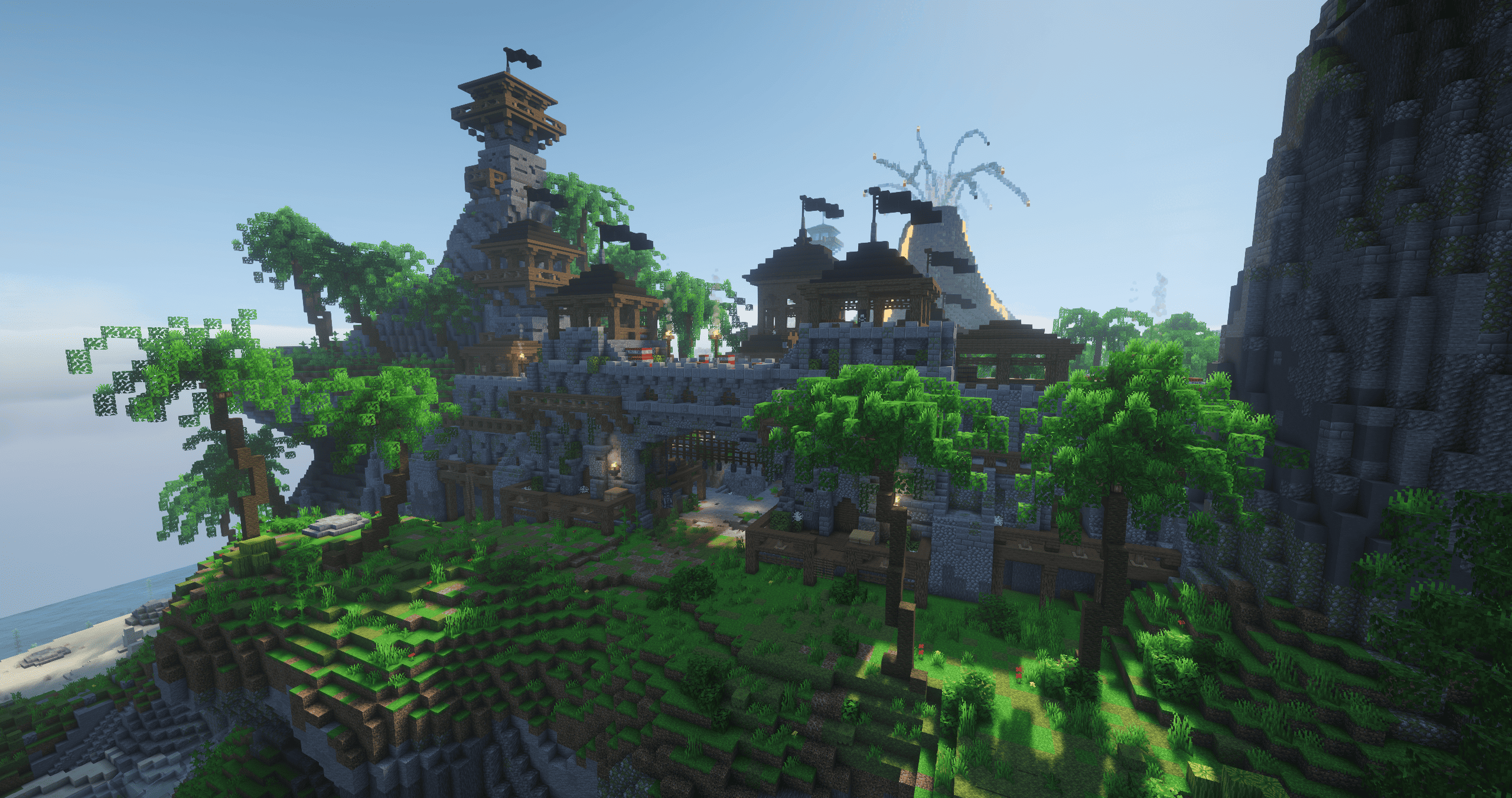
Image 1 - Pirate Raids
However, be aware that the Captain wants his share of the loot and will have a captains fee. In order to leave, items will have to be given to the vault until it reaches the money goal. If he doesn't get his full vault, you will fail the pirate raid and lose whatever loot you had on you.
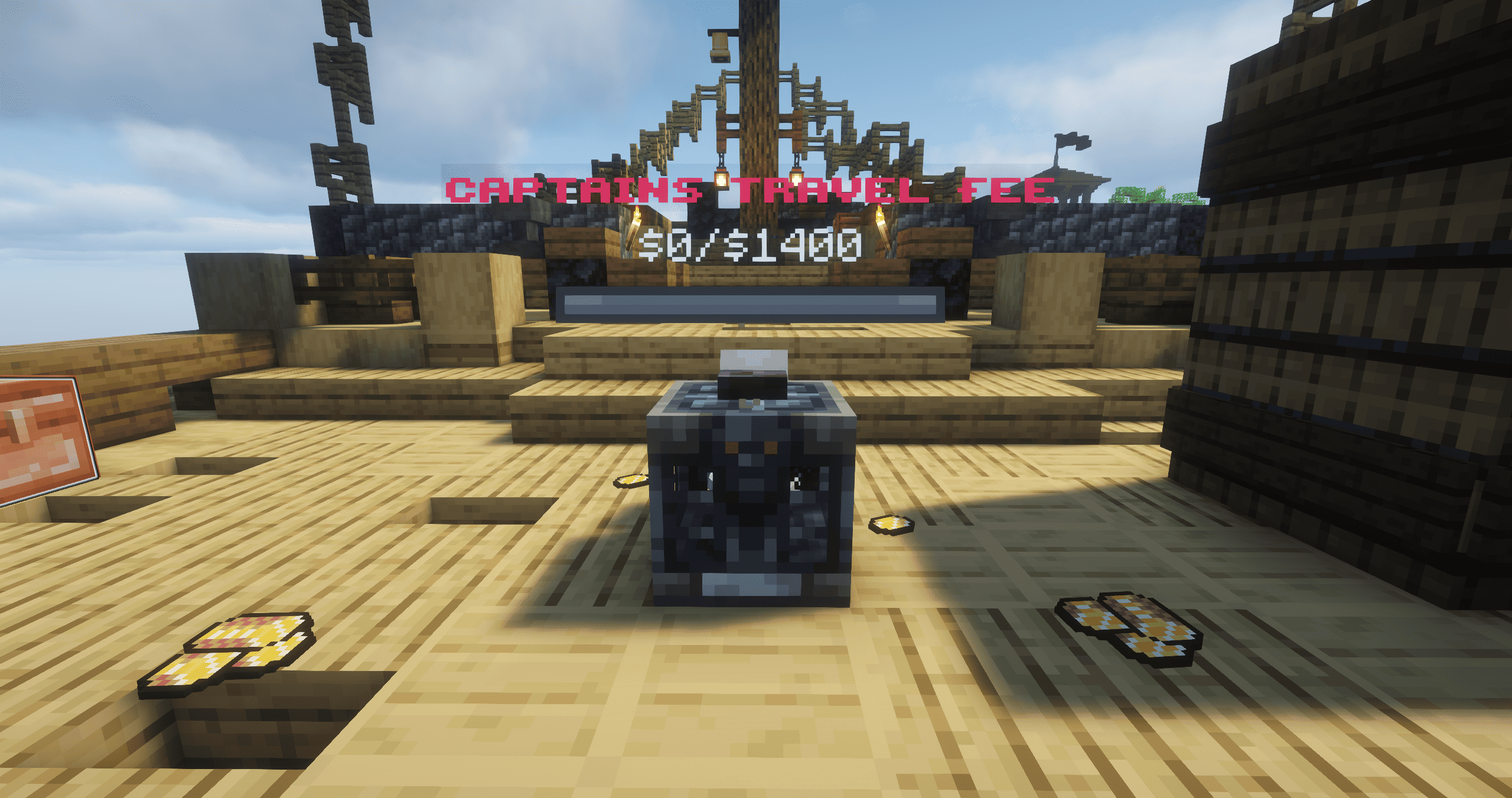
Image 2 - Captains Vault
Be wary, carrying too much treasure may get you in trouble with your fellow crew.
You can join Pirate Raids at the large ship directly west of spawn, you can check the online map to find it as well. The captain will announce when the Pirate Raid will start in chat, so make sure you get there in time!
Quick Travel, accessible from the profile, also has a direct teleport to Pirate Raids for free!
Cannons are a great way to get around! Cannonkour challenges your cannon and parkour skills combined. Try to reach the end of the map by jumping across platforms and launching yourself to gain an advantage.
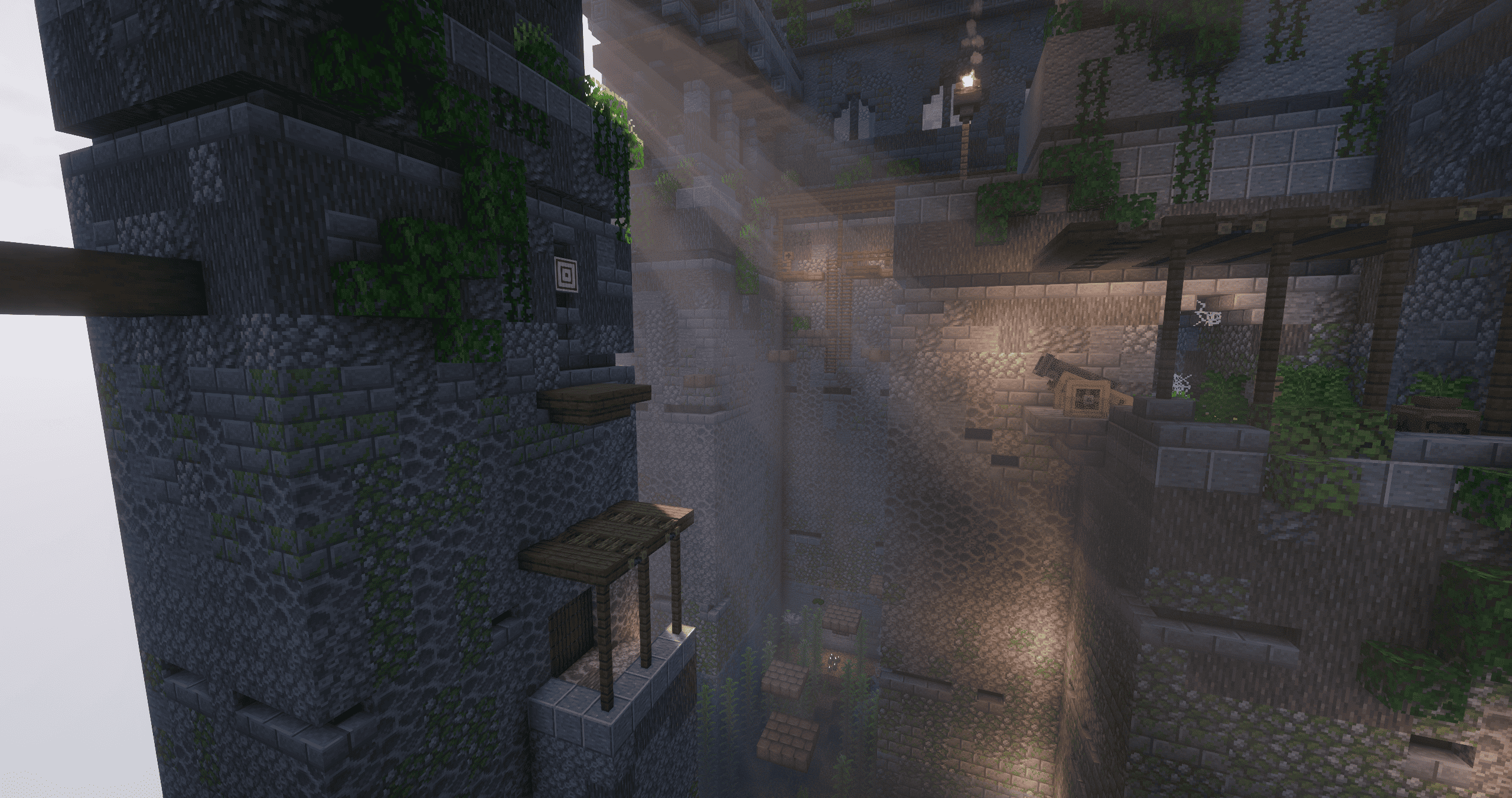
Image 3 - 'The Fortress' Cannonkour Map
While in Cannonkour, you can return to your checkpoint or exit at any time. Completing the map will reward the player with money, though more importantly, a leaderboard for completing the map at the fastest time!
To access Cannonkour, you must talk to the NPC in the hot air balloon and select a map. You can either use quick travel or use a cannon at [4 142 18] to launch yourself up there.
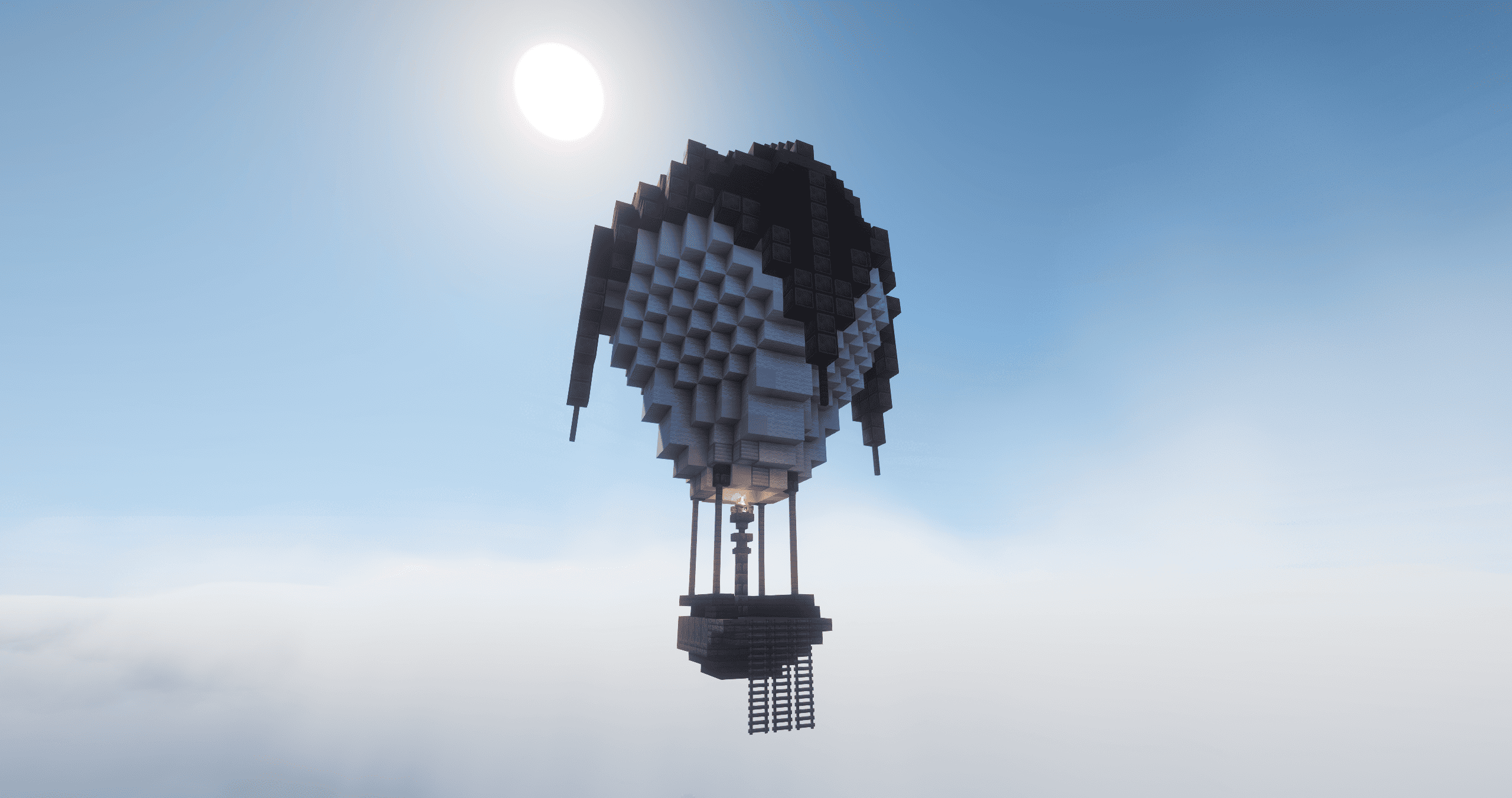
Image 4 - Cannonkour Balloon
The ocean is full of junk, creatures and lost treasure that is ready for you to find. Grab a fishing rod and reel in rewards that you can sell for money! Fishing is a relaxing way to earn some money with little danger.
When first joining the server, you will be given a free fishing rod to use as one of the starter items. If you managed to lose it, luckily, the Tool Merchant sells spares.
Around the world, there are areas that are overflowing with better loot called ‘Special Fishing Spots’, which will boost your rewards. These aren’t active constantly, but when they are, sparkles will indicate the areas with better fishing loot.
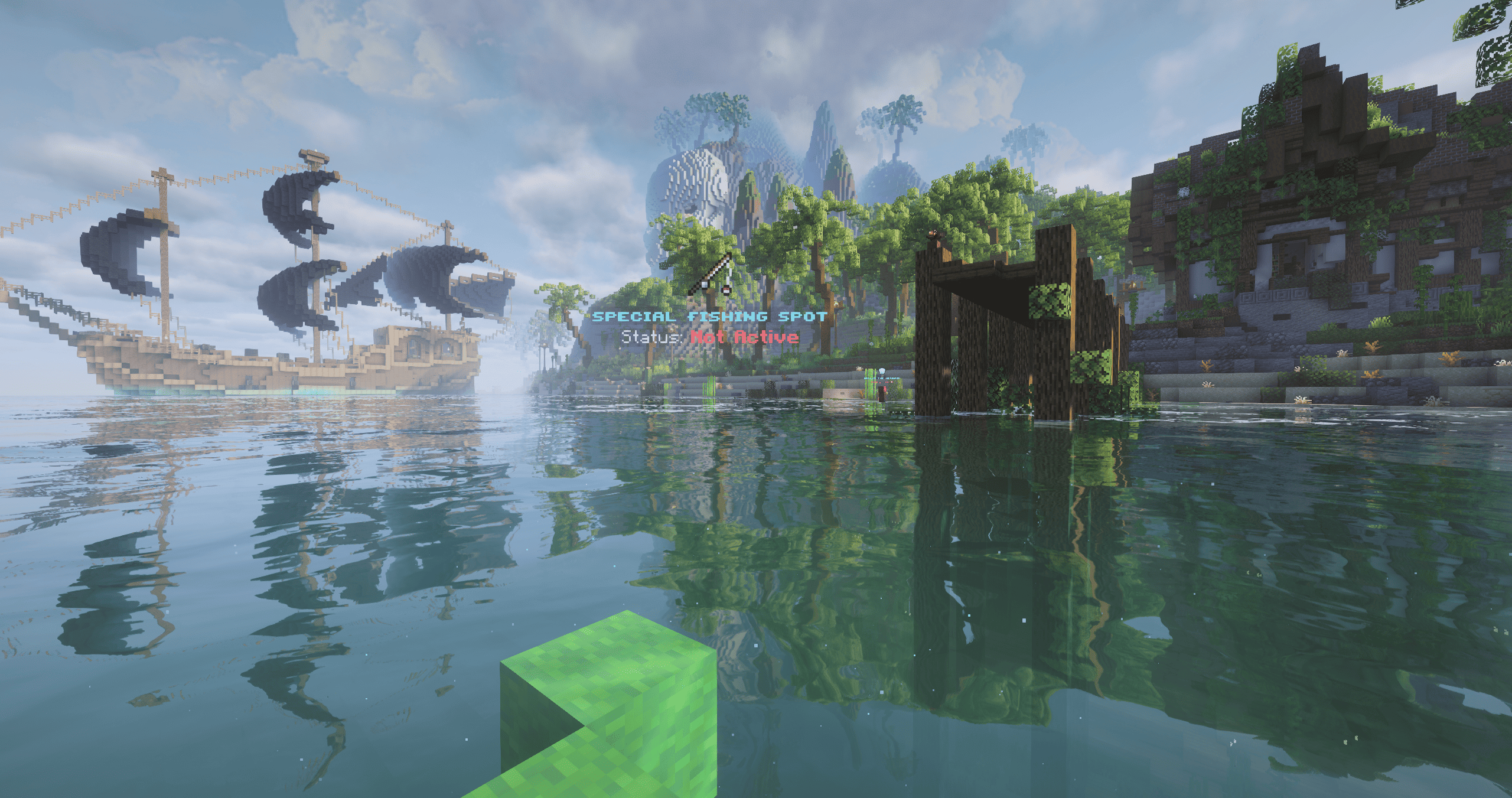
Image 1 - Example of a Special Fishing Spot
There are 7 different elements that exist in Scavenged Shores, which apply to creatures, weapons and armour. Apart from normal damage, which has no unique interactions, each element will either be super effective (x2 damage), effective (x1 damage) or ineffective (x0.5 damage).
The elements are Nature, Fire, Water, Electric, Magic and Dark. Their effectiveness match-ups are shown below.
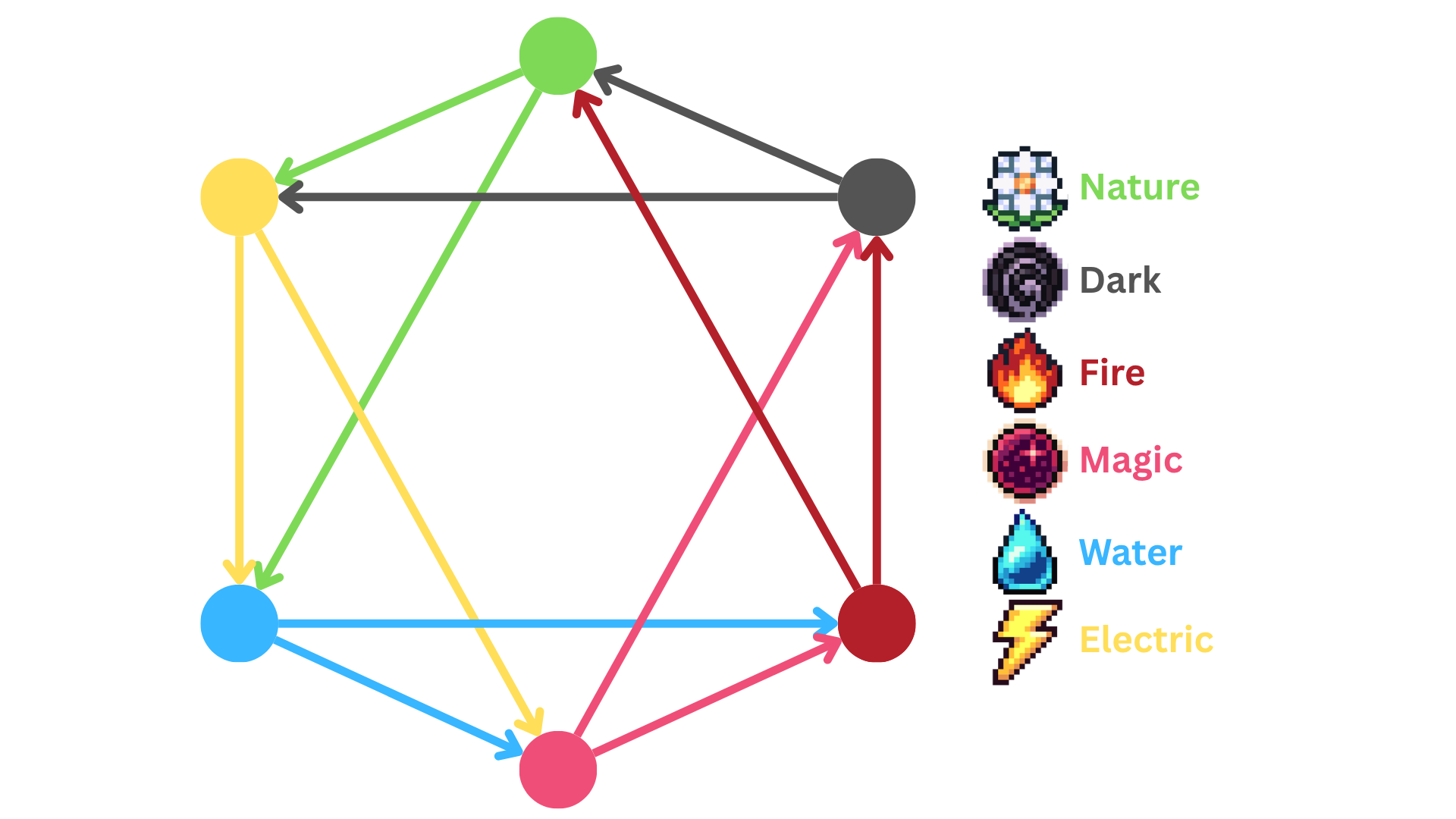
Image 1 - Elemental Type Matchup Chart
If you are having trouble remembering the effectiveness against a creature, the spyglass, given to you as a starter item or purchased from the Tool Merchant, will help you out! Zoom in on a creature to see what elements are super effective and ineffective!
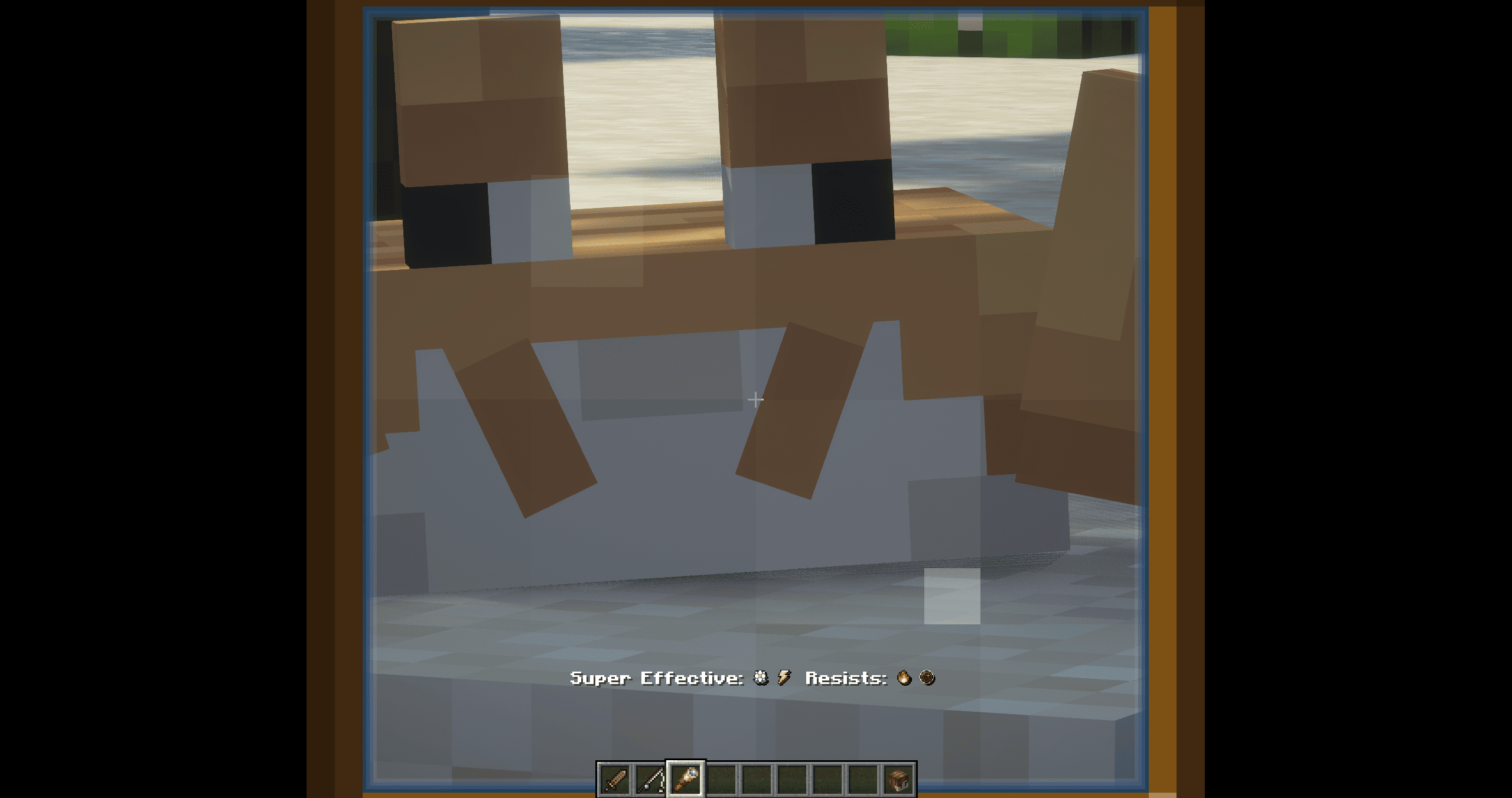
Image 2 - Telescope
You can find the creatures to slay all over an Island, there are four types of creatures:
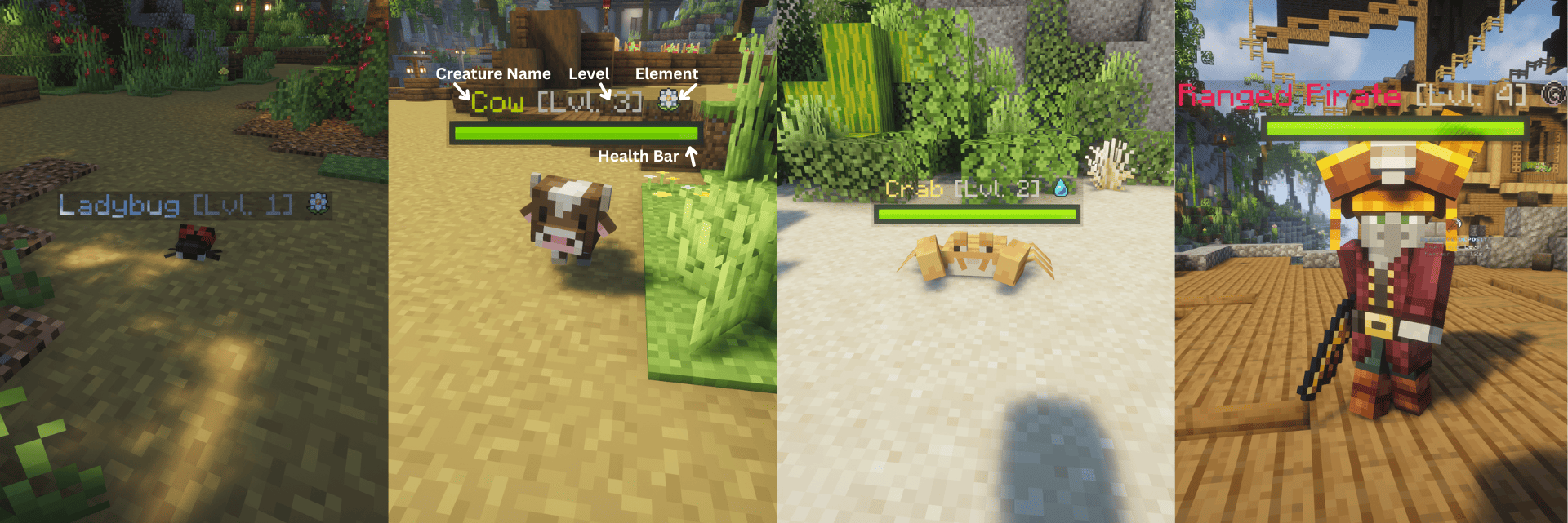
Image 2 - Creature Types
| Type of Mob | Can be attacked | Can attack player |
| Ambient Mobs |  |
|
| Passive Mobs |  |
|
| Neutral Mobs | |
* If Player attacks first |
| Aggressive Mobs | |
|
Passive, Neutral and Aggressive mobs will spawn at Grind Spots, indicated by a hologram of a skull and text. These can be found on the Online Map as well.
Passive, Neutral and Aggressive mobs will drop loot which can be sold at the Item Hoarder for money, with rarer drops selling for more.
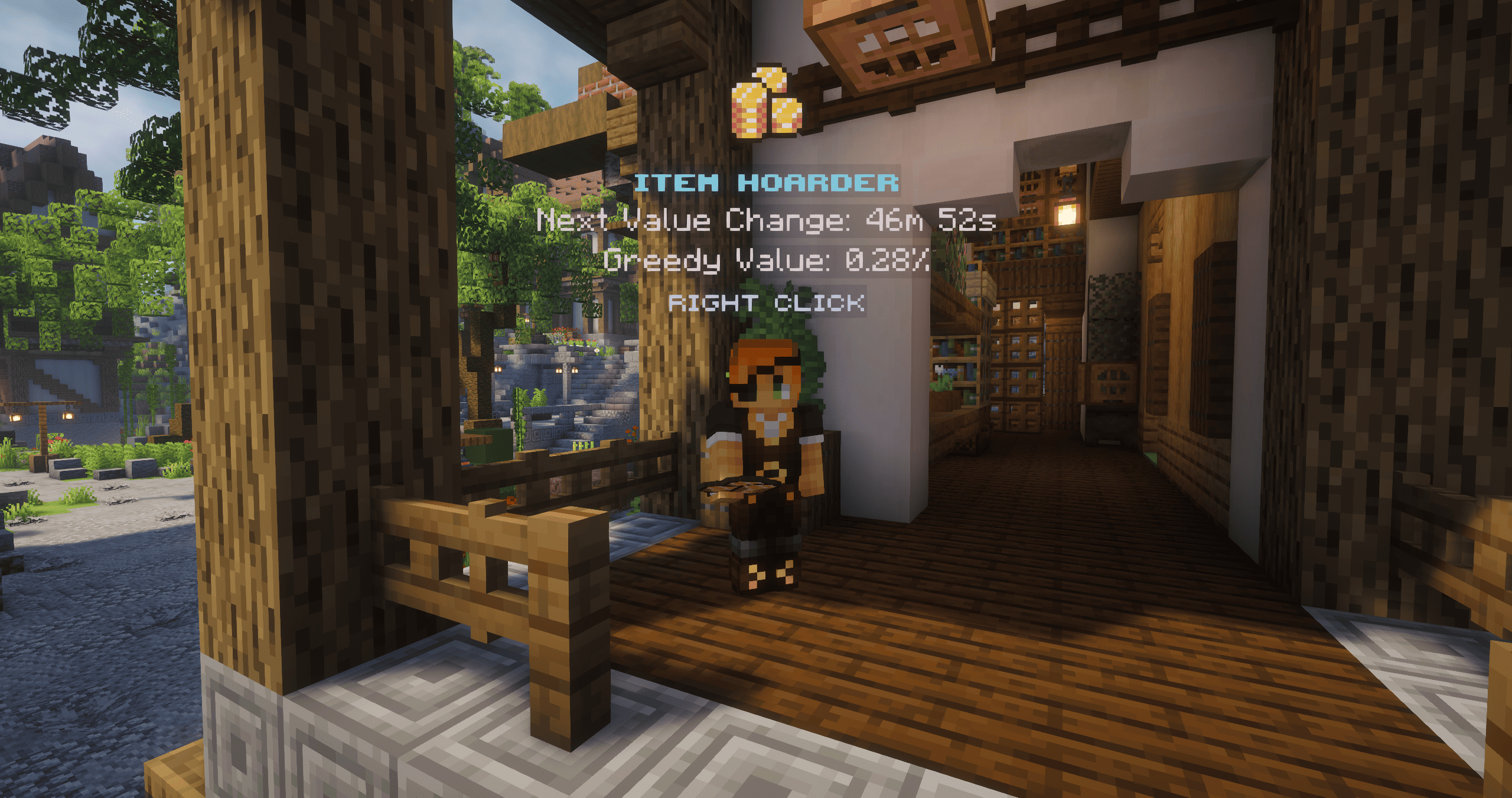
Image 4 - Item Hoarder
Weapons  |
Melee items to deal damage to creatures. |
Armour  |
Wearable items to provide the player boosts. |
Gun  |
Ranged items requiring ammo to attack. |
Food  |
Items to restore hunger. |
Crate Items  |
Custom ability items accessed via crates. |
Loot  |
Items gained from fishing, mob drops and treasure chests which can be sold. |
Tools  |
Miscellaneous items for player islands or gameplay. |
Block  |
Placeable items on player islands. |
In Scavenged Shores, there are a variety of custom items with different rarity ratings. There are 5 different rarities the player can obtain, with the rarer, harder-to-obtain items possessing greater abilities and stats. The rank of rarities is shown below:
 Image 1 - Item Rarity Tags
The higher tier rarities are stronger but are more difficult to obtain. For example a Lvl 3 Super Rare is stronger than a Lvl 3 Rare but will cost more.
‘Custom’ and ‘Unique’ are not rarity types for items but rather identify special items such as cosmetics or items from events.
You can purchase most of these items at the marketplace at their respective NPCs. (For more information about shops, you can read the Shops guide.)
Loot drops are accessible from supply barrels, mob drops or Pirate Raids and are not purchasable.
Crate Items are obtained by opening a crate with its respective key. Keys are obtainable by:
| Voting Rewards | Every time there is a 5% you obtain a crate key, if you don’t receive a key you will receive a voting ticket. You can exchange 21 voting tickets for a crate key. |
| Daily Rewards | Logging on every day will give you a reward, the first 6 days will give a money lootbag and the 7th day will give 1 free crate key. |
| Giveaways | When giveaways are hosted, there is a chance you may win one or multiple crate keys. The amount of if you will receive one is not guaranteed. |
The player profile is a crucial menu which will allow you to access your player island, quests, cosmetics, quick travel and even more! To open your profile, right click your player head in the 9th slot of your hotbar.
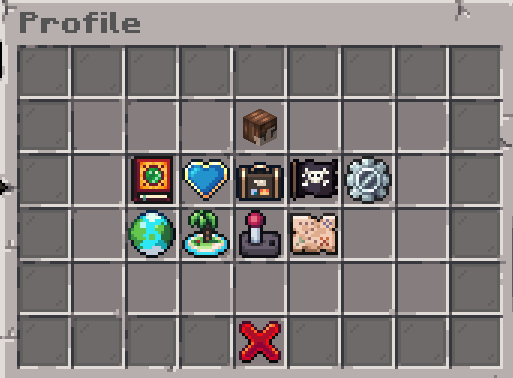
Image 1 - Player Profile Menu
Within your profile, your player head in the middle slot will give you access to view your player statistics. This includes your level, playtime, currency balance and current armour stats.
There are also a few countable statistics, like barrels opened or fish caught!
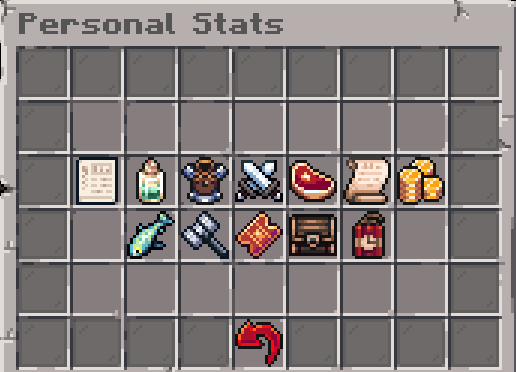 Image 2 - Personal Stats Menu
By left-clicking the quest book icon, you can open the quest menu where you can access several quests. They will get you started on your adventure and introduce features.
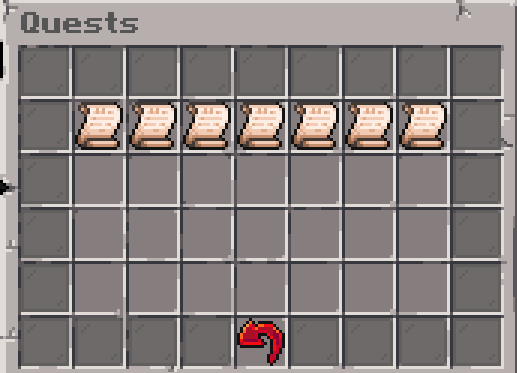
Image 3 - Quests Journal
Right-clicking the same icon will open daily quests, 3 quests you can complete each day for a reward. The red redo arrow below the middle quest will allow you to refresh your quests once per day. Any completed quests will not be refreshed.
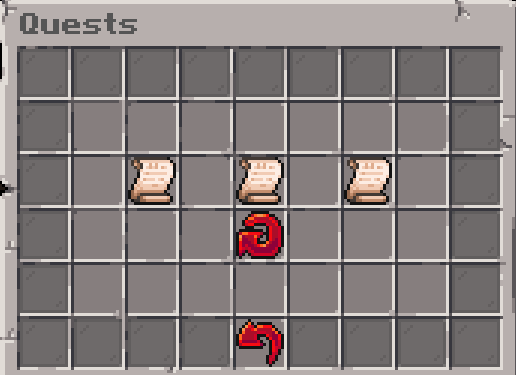
Image 4 - Daily Quests
To add friends, click the plus button in the bottom right side and type in their username in the GUI opened! They will have 5 minutes to accept. If you also wish to remove a friend, you can click the minus button and type in their username.
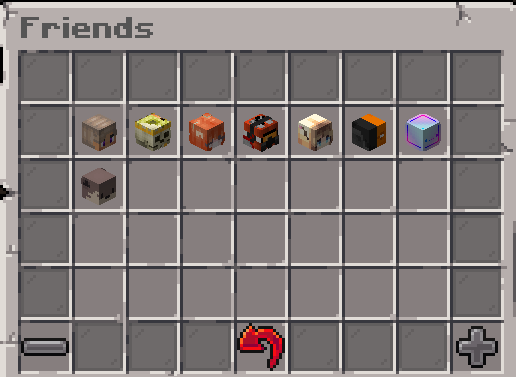
Image 5 - Friends Menu
Within the cosmetics tab, you can equip specific cosmetics you may own, such as Ranks, Hats, Particles, Icons, Glowing Effect, Pets and Bullet Trails. You can select and put on the cosmetic by clicking on the desired cosmetic.
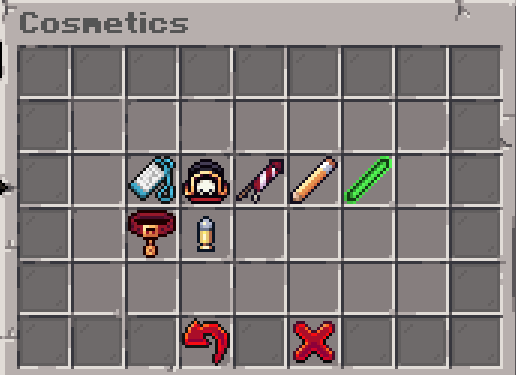
Image 6 - Cosmetics Menu
Click the red x to either remove all cosmetics if on the main page or the cosmetic specific type if inside that cosmetic types GUI.
You can customise various features by either enabling or disabling them. The features include:
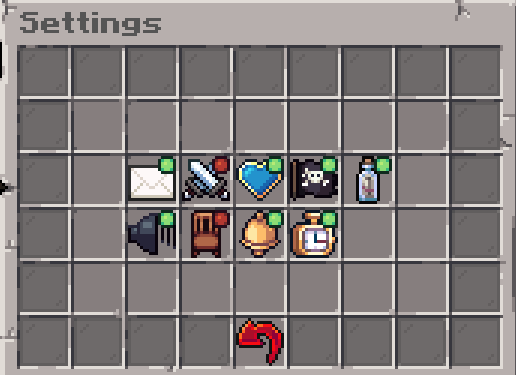 Image 7 - Settings Menu
By clicking the icons in Quick Travel, you can instantly travel to the:
When future islands are added, costs will be based on the distance of the player from the island.
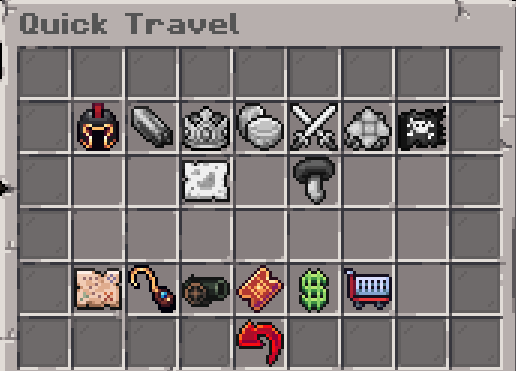
Image 8 - Settings Menu
For more informations about Islands, you can read the Player Islands guide.
This tab opens up an online map link if you ever get lost or need to find something!
| Received | Given | |
|---|---|---|
 |
1 | 0 |
 |
0 | 0 |
 |
0 | 0 |
 |
0 | 0 |
 ️ ️ |
0 | 0 |